
Microsoft Intune · Entra ID · Microsoft 365
Days of tenant review, done in an afternoon.
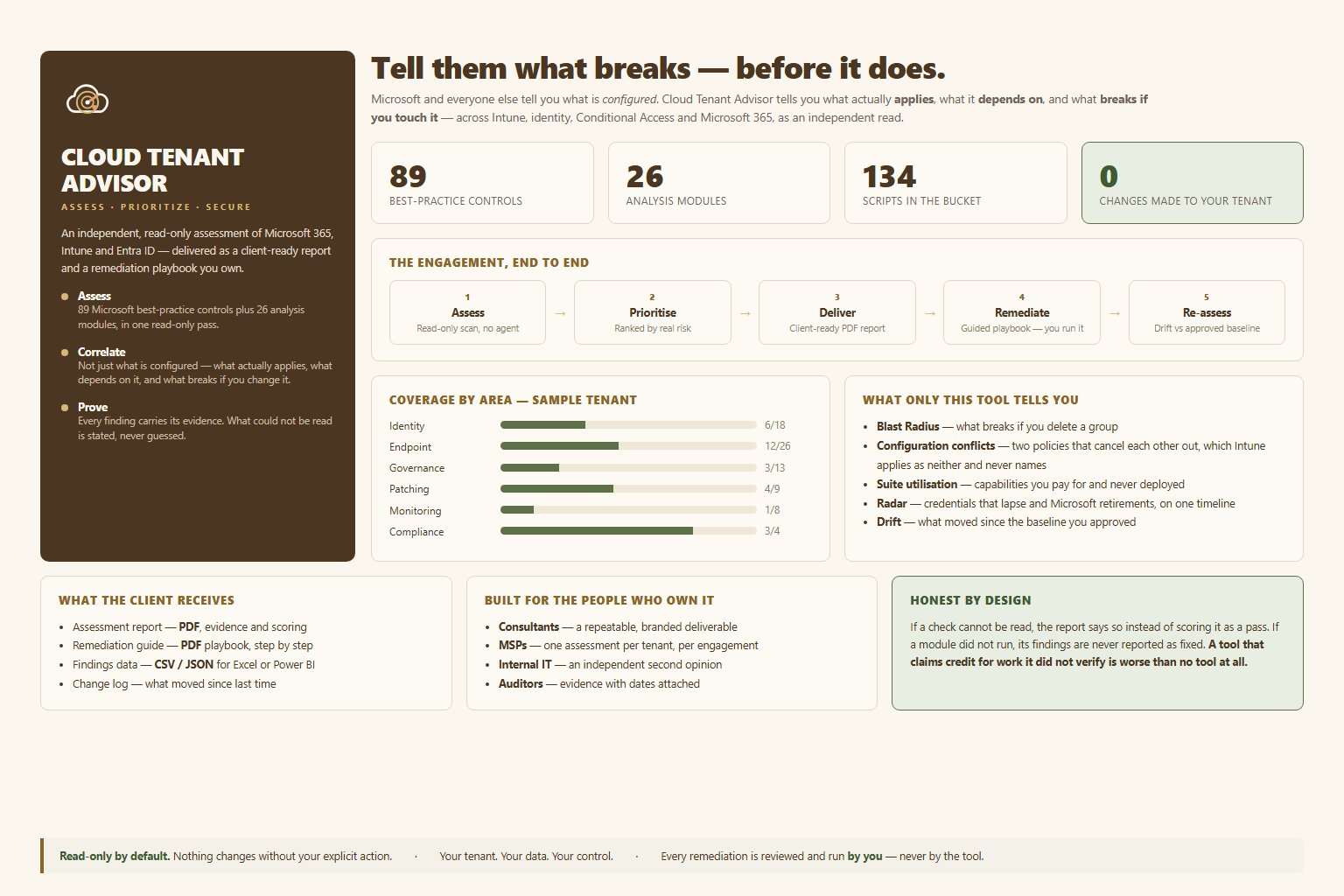
Cloud Tenant Advisor signs in read-only, grades your tenant against 89 of Microsoft’s own security best practices across eight areas, ranks every gap by severity, and hands you a click-to-fix plan. Nothing in your tenant changes until you confirm it.
Read-only assessment · nothing is altered without your confirmation
How it works
Assess. Grade. Remediate. Prove.
One read-only Microsoft Graph sign-in. A few minutes of runtime. A complete, client-ready picture of where the tenant actually stands — and exactly how to fix it.
Read-only scan
Sign in once. It walks 20 areas — devices, identity, MFA, patching, endpoint protection, Microsoft 365 — and changes nothing.
Ranked findings
Every gap graded against Microsoft’s own best practices and ranked Critical through Informational. No guesswork.
Click-to-fix
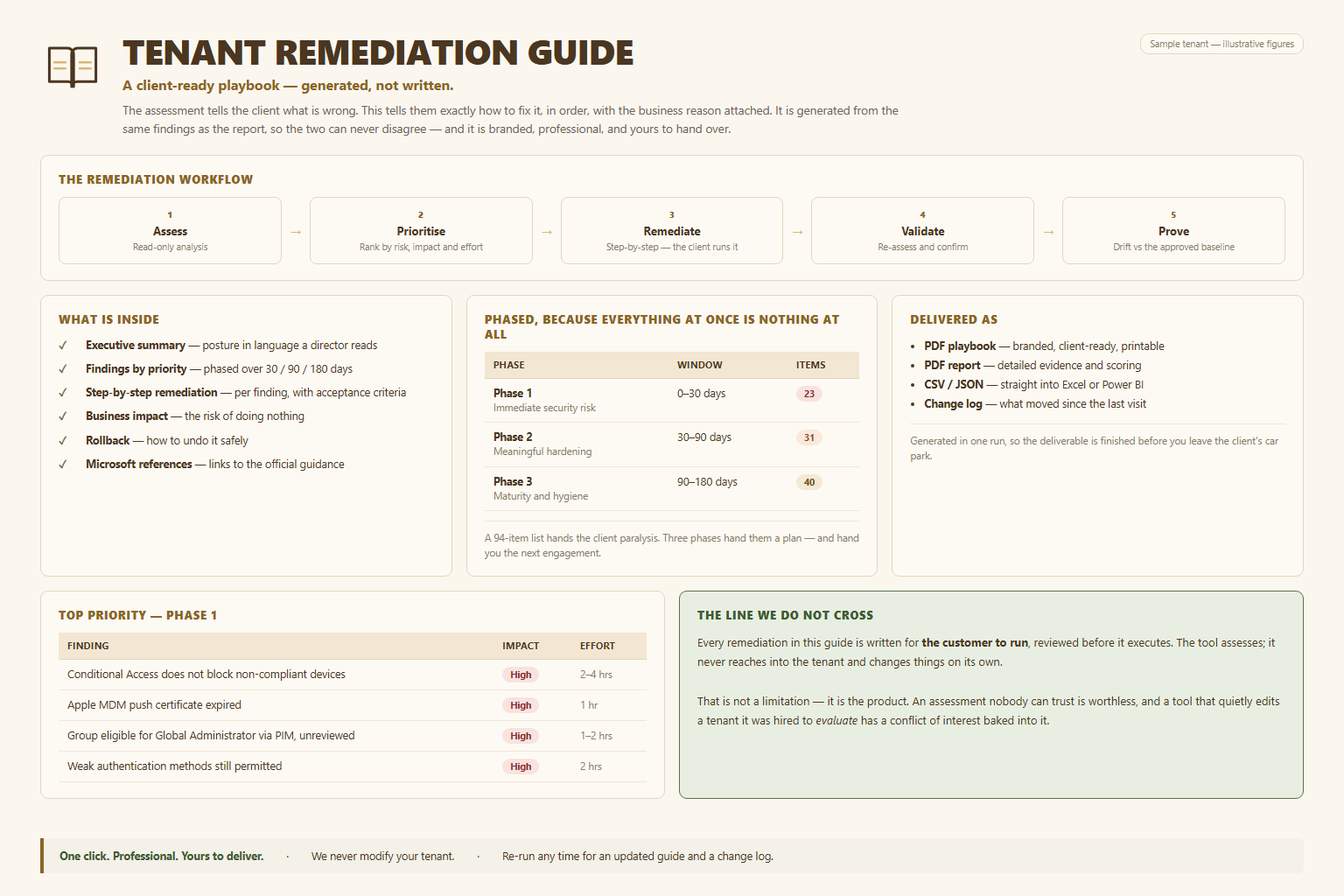
Each fix sorted Auto, Guided, or Manual. Nothing is applied until you review it and confirm.
Client-ready report
One click turns the findings into a branded PDF playbook, plus raw data for Excel or Power BI.
Why it’s different
It finds what the portals hide.
Microsoft’s consoles reward you for switching features on. They can’t tell you the feature isn’t actually working — and Microsoft has little reason to build that. This does.
Configured is not protected
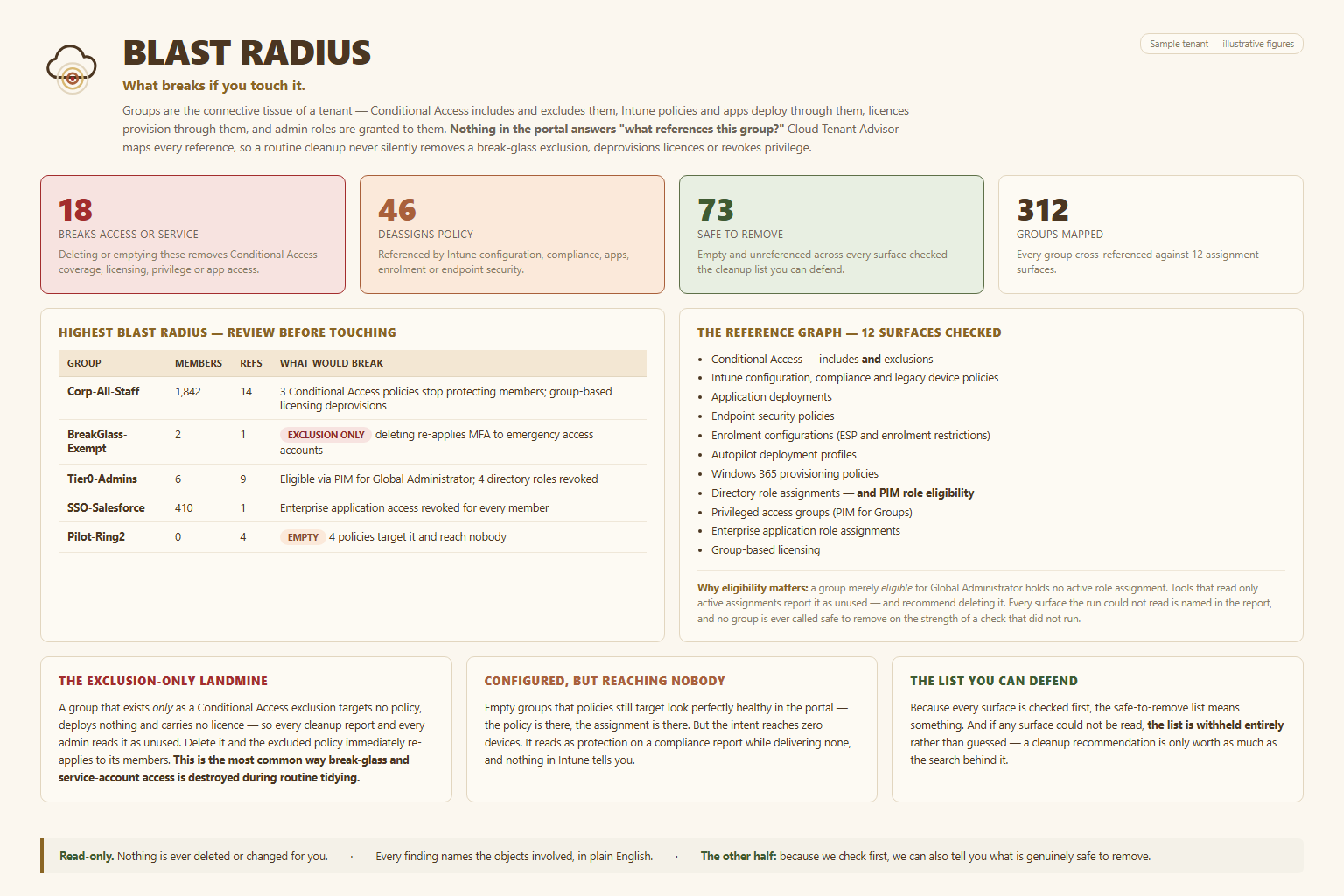
A policy assigned to an empty group looks identical to a working one in Intune — and Secure Score still awards the points. We flag every policy that reaches zero devices.
You’re already paying for it
Capabilities the tenant licenses but never switched on, and seats assigned to nobody. Recoverable without buying a thing.
Expiry radar
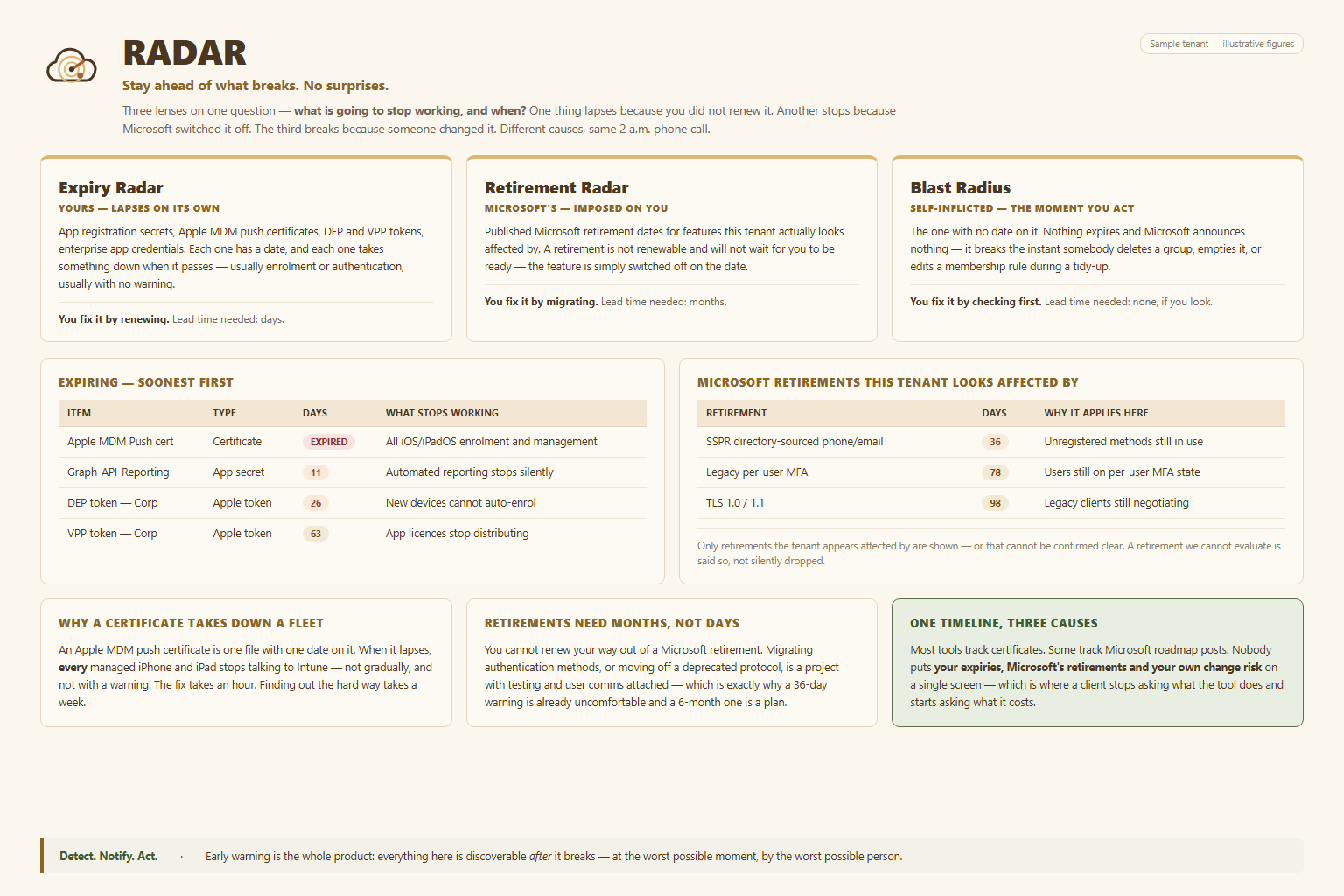
Certificates, Apple MDM push certs, and app secrets ranked by how soon they lapse — the silent failures that take a tenant down on a weekend.
It tells you what it couldn’t check
Not a vague “access denied.” If a capability isn’t licensed, it names the exact licence and says plainly that nothing is being blocked.
See it
What the assessment surfaces
Four of the twenty areas it grades. The video above shows the tool itself, running end to end against a live tenant.
Pricing
Built for MSPs and internal IT teams
Two ways to buy
MSPs — a flat scanner subscription to assess your whole book of clients, plus a per-client unlock for the full deliverable.
Direct — an annual licence for your own tenant, priced by endpoint count.
See your own tenant this afternoon.
Send a note and we’ll walk you through a live assessment — read-only, against your tenant, with nothing changed.
Email [email protected]Get in touch
Prefer to send a message?
Tell us a little about your tenant and we’ll come back to you.