
Blast radius
What breaks if you touch it.
Before you delete a group, retire a device or clean up an old policy — see everything that quietly depends on it.
The problem
Deleting a group is a one-way door
Entra groups accumulate. Someone made one for a project in 2022, it has four members, and nobody remembers why it exists. Deleting it looks obviously safe.
Except that group might be referenced in a Conditional Access policy, three Intune configuration profiles and an app deployment. None of that is visible from the group itself. You find out afterwards, from a user who can no longer sign in.
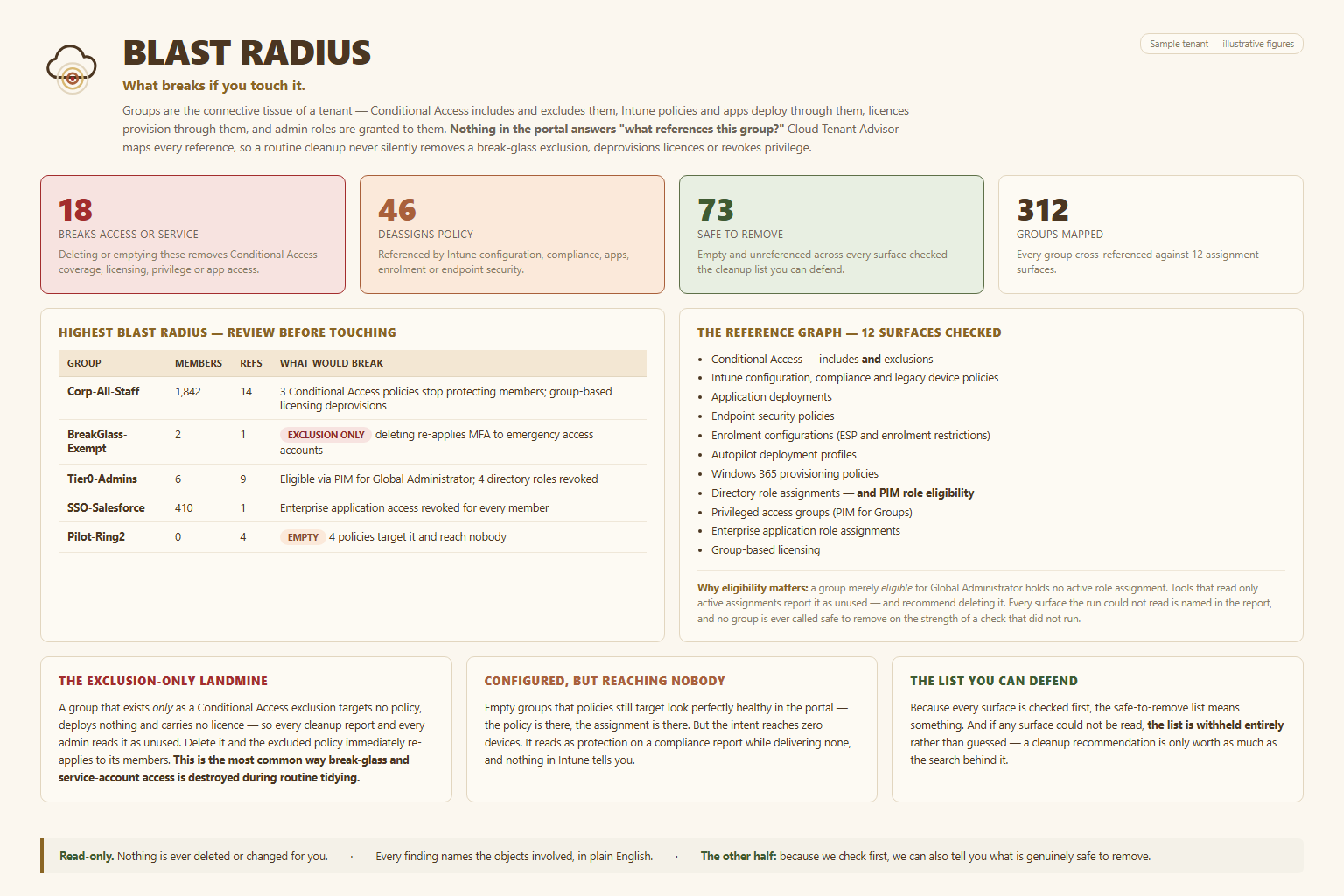
Blast Radius walks the reference graph before you act, and shows you every object that points at the thing you were about to remove.
What it catches
Three failure modes you cannot see from the portal
Exclusion-only groups
A group used solely as a Conditional Access exclusion looks empty of purpose — nothing appears to depend on it. Remove it and the policy silently starts applying to people who were deliberately exempt.
Configured, but landing on no one
The mirror image. A policy pointed at a group that lost its members still shows as configured everywhere you look — and protects nothing at all.
A list you can defend
When a client asks why you removed something, the answer is a printed reference map rather than a recollection. That is the difference between a decision and a guess.
It reads. It never deletes.
Blast Radius is analysis only. It tells you what a change would touch so you can decide — it does not make the change, and it never removes anything on your behalf. Every action stays yours, and stays deliberate.
See it map your own tenant
Read-only, a few minutes to run, and nothing changes until you say so.
Email [email protected]